
Get the paperwork done, and get back on the tools.
Job Ticket turns Claude, ChatGPT, Gemini or Grok into the office manager most trades businesses can't afford yet. Turn job notes into clear quotes and scopes, price with real margin, answer customers fast, chase late invoices politely, reply to reviews and write job ads and toolbox talks.
Get Job Ticket Office Assistant for $12 Work out price
$12 once · card, Apple Pay or Google Pay · download in a minute
- One-time $12
- Instant email delivery
- 14-day refund
- Works in Claude, ChatGPT, Gemini and Grok
Quote: bathroom fan and circuit
Electrician · 2 techs · materials $186 · 5 labor hours
Target margin: 40%Labor cost: $95/hrWarranty: 1 year
- ScopeInstall 80 CFM fan, vent to exterior, new 15A circuitIncludes permit, patch around fan, not paintQuote
- Price$1,101.67 before taxMaterials + labor + 40% margin, not 40% markupPrice
- Terms50% deposit, balance on completionValid 30 days; changes priced in writingTerms
- EmailSend quote with 2-line summaryBook-a-date link and what happens nextSend
- FollowFollow up in 3 days if no replyShort, friendly, one questionChase
The office work that eats your evenings
One skill, six jobs. Claude, ChatGPT, Gemini or Grok picks the right one from what you ask.

Quotes and scopes
Turn rough notes or a voice memo into a clear quote: what's included, what isn't, terms and timeline.
Pricing with margin
Materials, labor, overhead and margin worked out properly, so you stop confusing markup with margin.
Customer emails and texts
Fast replies to leads, booking confirmations, delays, change orders and difficult customers.
Invoices and late payers
Invoice wording, payment reminders and a polite-to-firm follow-up sequence.
Reviews and marketing
Review requests, replies to good and bad reviews, Google Business posts and simple ads.
Job ads and toolbox talks
Hiring posts that attract good techs, and 5-minute safety talks for the crew.
Ask it like you'd ask a sharp office manager
It knows how trades businesses win work and get paid.
Draft reply
Hi Dana, thank you for the feedback, and I'm sorry we were two hours late. An emergency at an earlier job ran over, and we should have called you sooner to let you know. That's on us, and we've changed how we update customers when a job runs long. Our crew cleans up and vacuums after every job, and I'd like to make this right if anything was missed. Please call me directly at [number]. Mike, owner.
Why it works
- Owns what was true (late, didn't call) without excuses.
- States your cleanup standard calmly instead of calling them wrong.
- Moves it offline. Future customers read the reply more than the review.
Example answer from the full skill. Your answers depend on what you ask.
Honest about the business side
You know the work. Job Ticket handles the words and the math.
- Real margin mathIt shows its working, so you can check every price before it goes out.
- Your rates, your termsIt prices from your costs, rates and terms, not national averages.
- Code and permits are yoursIt won't tell you code. Your license, local code and inspector decide how the work is done.
- Not legal adviceContracts, liens and collections disputes go to a local lawyer or your trade association.
Up and running in two minutes
No app to learn and nothing to install on your computer. It lives inside Claude, ChatGPT, Gemini or Grok.
Buy once
Pay $12 by card, Apple Pay or Google Pay. Your download link arrives by email in about a minute.
Add it to Claude, ChatGPT, Gemini or Grok
Upload the ZIP under Skills in Claude, or the unzipped folder in Gemini. It takes about 30 seconds. In Grok, upload the ZIP, or paste the included paste-in file into a new skill. In ChatGPT, add the included paste-in file to a Project.
Just ask
"Turn these notes into a quote." "Price this job for 35% margin." "Write a firm but polite reminder for an invoice 30 days late."
Pick your app for the exact clicks
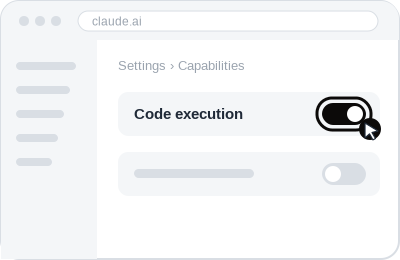
1In Settings, then Capabilities, turn on code execution.
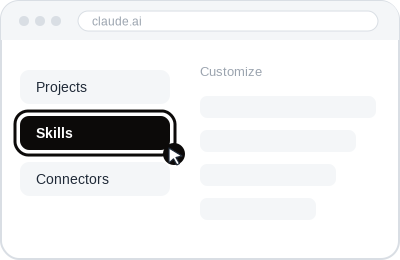
2Open Customize, then Skills.
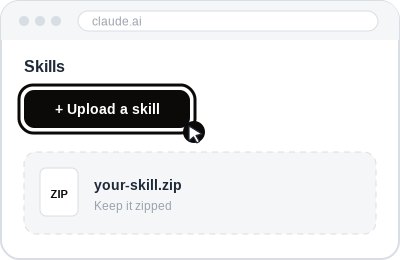
3Click +, choose Upload a skill, pick the ZIP. Keep it zipped.
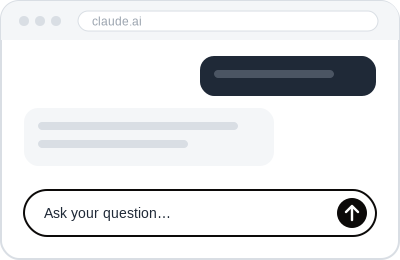
4Start a new chat and ask. Claude picks up the skill.
Works on every Claude plan, including the free one. Free plans have lower usage limits.
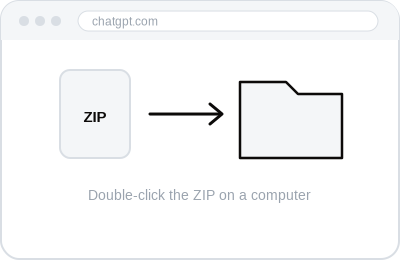
1On a computer, unzip the download and find ANY-AI-PASTE-VERSION.txt.
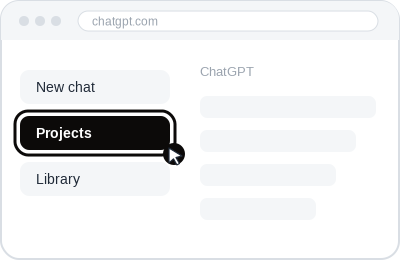
2In ChatGPT, open Projects and make a new project.
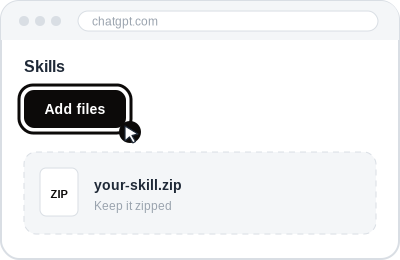
3Add the .txt file to the project. In its instructions, type: Follow the attached file.
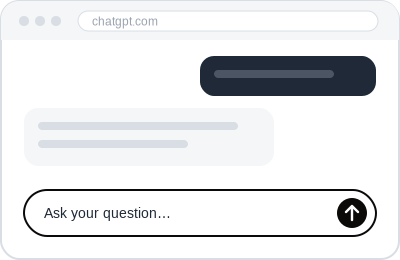
4Start a chat in that project and ask. On a Business, Enterprise or Edu plan, you can upload the ZIP under Skills instead.
Personal ChatGPT plans (Free, Plus, Pro) don't have a Skills page yet, so you use the paste-in version in a Project. On a Business, Enterprise or Edu plan, go to chatgpt.com/skills, choose Add, then Upload from your computer.
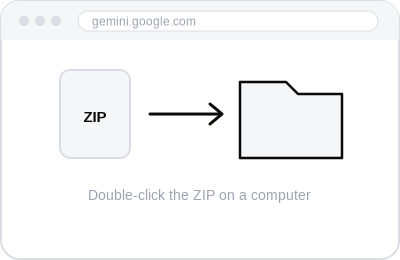
1On a computer, unzip the download. You get a folder.
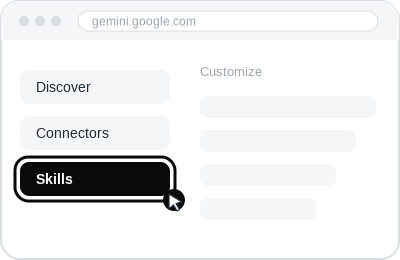
2At gemini.google.com, open Customize, then Skills.
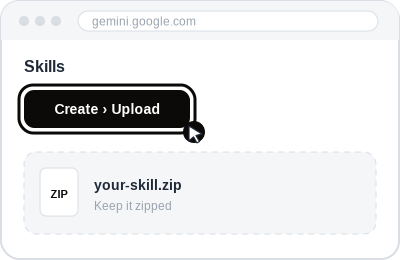
3Choose Create, then Upload, then folder. Pick the unzipped folder.
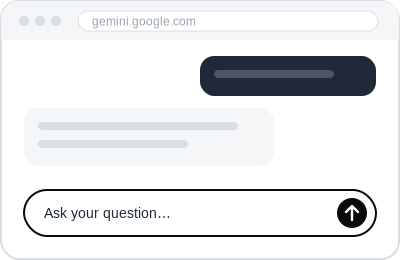
4Start a new chat and ask.
Gemini takes the unzipped folder, not the ZIP. Menus in Gemini change often, so names may differ slightly.
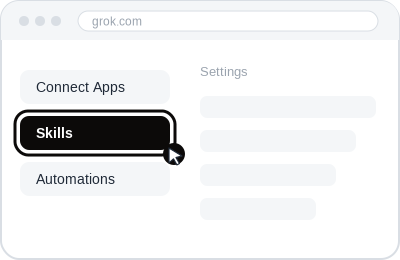
1At grok.com, open Settings, then Skills.
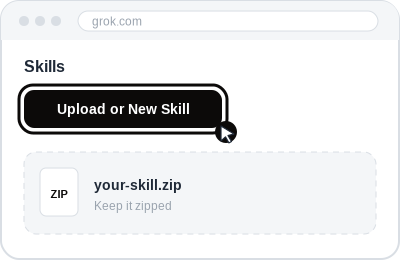
2If you see Upload, pick the ZIP. If you only see New Skill, use the next step.
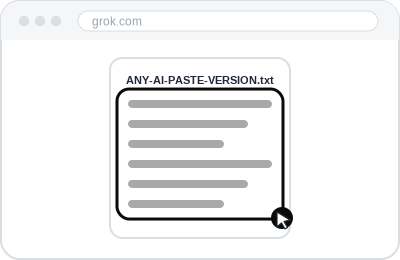
3New Skill: name it, then paste the text of ANY-AI-PASTE-VERSION.txt (below the line of equals signs) into Instructions.
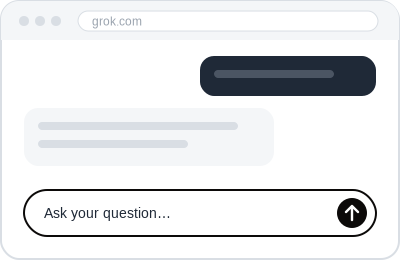
4Save it, start a new chat and ask.
Some Grok plans upload the ZIP; others show a New Skill form, where you paste the skill text in. Menus in Grok change often, so names may differ slightly.
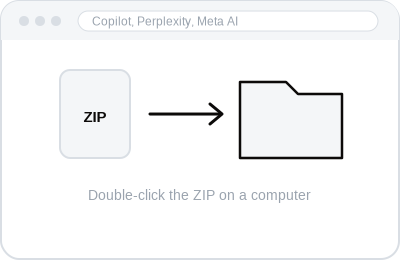
1No Skills page? Unzip the download on a computer.
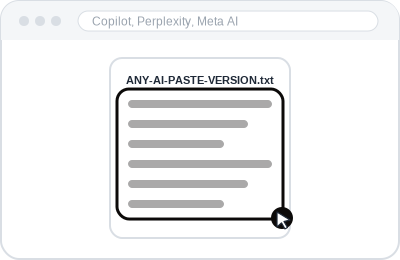
2Open ANY-AI-PASTE-VERSION.txt and copy everything.
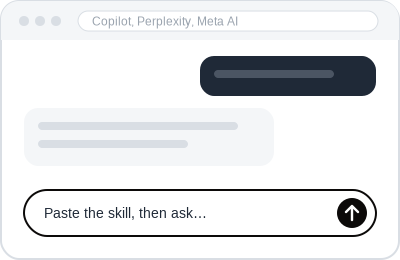
3Paste it into a new chat, then ask your question.
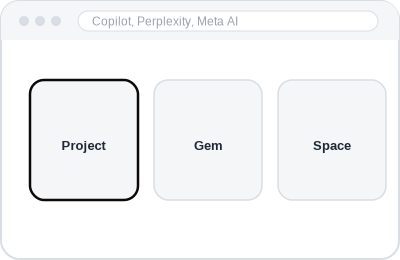
4To keep it on, add it to a ChatGPT Project, Gemini Gem or Perplexity Space.
Using Claude Code, Codex, Cursor or another coding agent? Unzip it into the skills folder, for example unzip job-ticket-office-assistant.zip -d ~/.claude/skills/
On your phone? Go ahead and buy: the download link goes to your email and works for a year. Adding a skill is easiest from a computer, in a web browser or the desktop app, so open that email there when you're ready. Want to try it on your phone today? Open the ZIP, copy ANY-AI-PASTE-VERSION.txt into any chat app, and ask.
Start with the free Quote Writer
A small skill that turns your job notes into a clear, professional quote with scope, exclusions, price and terms.
- Scope, inclusions and exclusions
- Price from your costs and rates
- Terms, validity and next steps
Get Job Ticket Office Assistant
Pay once, use it on every job and every customer. No subscription. Includes the free Quote Writer too.
How to add it
Upload the ZIP under Skills in Claude, or the unzipped folder in Gemini (in Grok, upload the ZIP or paste the paste-in file into a new skill; in ChatGPT, add it to a Project), then start a new chat and try: "Here are my notes from a job walk. Write the quote: materials about $400, 6 hours for one tech at $95 an hour, I want a 35% margin."
See the clicks for your app. Every download also comes with a paste-in version for any other chat, and a Start Here PDF.
Step-by-step guides with pictures: Claude · ChatGPT · Gemini · Grok
Job Ticket Office Assistant
Quotes, pricing, customer messages, invoices, reviews and hiring for your trade.
$12 one time
- Quotes and scopes of work
- Job pricing with markup and margin explained
- Customer emails, texts and change orders
- Invoice reminders and late-payment sequences
- Review requests and replies
- Job ads, interview questions and toolbox talks
- Updates for a year
Card, Apple Pay or Google Pay through Stripe. Taxes calculated at checkout. 14-day refund.
Giving it as a gift? Buy it, forward the email, and print a gift card.
See a real answer from the full skill
You ask: Customer left a 1-star review saying we were 2 hours late and left a mess. We were late because of a burst pipe at the job before. The mess part isn't true, we vacuumed. Write a reply.
Draft reply
Hi Dana, thank you for the feedback, and I'm sorry we were two hours late. An emergency at an earlier job ran over, and we should have called you sooner to let you know. That's on us, and we've changed how we update customers when a job runs long. Our crew cleans up and vacuums after every job, and I'd like to make this right if anything was missed. Please call me directly at [number]. Mike, owner.
Why it works
- Owns what was true (late, didn't call) without excuses.
- States your cleanup standard calmly instead of calling them wrong.
- Moves it offline. Future customers read the reply more than the review.
New to AI skills?
Job Ticket is a skill: a set of expert instructions you add to your own Claude, ChatGPT, Gemini or Grok account, so it answers like a trades business office manager who knows the craft.
- Using Gemini? Unzip it and upload the folder on its Skills page. Using Grok? Under Settings, Skills, upload the ZIP or paste the paste-in file into a new skill. Using ChatGPT? Add the included paste-in file to a Project.
- New to all of them? Claude is an AI assistant made by Anthropic. Make an account at claude.ai: skills work on every Claude plan, including the free one, with code execution turned on in Settings, Capabilities.
- Try the free Quote Writer skill first. If you like it, the full skill is one purchase.
Not ready for an AI app? The free markup and margin calculator on this site works in any browser, no account needed.
Free trades business tools
No sign-up, they run in your browser.
Made by Nic Hubert, What If Labs
I run What If Labs from British Columbia, Canada. I build each skill with AI help and test it on real questions, and a separate reviewer checks it before it goes on sale. If it doesn't do what this page says, email me at hello@whatiflabs.ai and I'll fix it or refund you.
No reviews yet: this store is new. Tell me how it went and I'll use it to make the skill better.
Questions
Which trades is it for?
Electricians, plumbers, HVAC, roofers, painters, carpenters, landscapers, cleaners, handymen and general contractors. Tell it your trade and it uses your terms.
Does it connect to my job software?
Not directly. Paste notes, a price list or a past quote, and copy the result into Jobber, Housecall Pro, ServiceTitan, QuickBooks or whatever you use.
Will it tell me what to charge?
It helps you work out a price from your costs, hours, overhead and target margin, and shows the math. Local market rates are your call.
Can my office staff use it?
One purchase is for one person. Email us for a company license.
What do I need to use it?
A Claude, ChatGPT, Gemini or Grok account. In Claude it works on any plan, including the free one, with code execution turned on (Settings, Capabilities). Free accounts have lower usage limits, so long planning sessions go further on a paid plan. It works in Claude on the web, the desktop app and Claude Code. In Gemini and Grok, upload it on the Skills page. In ChatGPT, personal plans (Free, Plus, Pro) don't have Skills yet, so you add the included paste-in file to a ChatGPT Project; Business, Enterprise and Edu plans can upload the ZIP under Skills. Coding agents that read SKILL.md files work too. Using Copilot, Perplexity, Meta AI or another chat with no Skills page? Every download includes a paste-in version (ANY-AI-PASTE-VERSION.txt) that works in any AI chat.
What if it doesn't work for me?
Email hello@whatiflabs.ai within 14 days of buying and we'll refund you in full. No forms, no questions.
How is this different from just asking an AI?
A general AI answer is often vague or skips steps. The skill gives your AI an expert's method: what to ask you first, the checklists and calculations to run, and the mistakes to warn you about. You get consistent, specific answers instead of a different guess each time.
Do I pay every month?
No. It's a one-time price, and updates to the skill are free.
Can I get a refund?
Yes. Every purchase comes with a 14-day refund, no questions asked. Reply to your receipt email and we'll take care of it.
What if it gets something wrong?
It shows its working, so you can check numbers and dates. Tell it what's off and it will correct itself. For anything where a mistake costs money or safety, double-check before you act, as you would with any advice.
Is my information private?
The skill runs inside your own Claude, ChatGPT, Gemini or Grok account, and we never see your chats. When you buy, Stripe handles the payment and we keep your email and order so we can send the download. The terms and privacy page has the details.